Time-weighted
Every task has a time.
Minutes, not checkboxes. The rings show what you actually finished.


Scheduling, intuitively.
It shouldn't be this hard.Your task manager should blend into your daily life without a single hiccup. That's what Kailos is for.
Time-weighted
Minutes, not checkboxes. The rings show what you actually finished.
Focus
One list, its own rings, and a window of its own if you want it.

Insights
This week, your streak, and what's due next.

Themes
Twelve themes. Your pick follows you to every device.


Sign in
Continue with Google or Apple, then the same lists everywhere.

Every task has an effort in minutes. That one idea turns a to-do list into a picture of your day.
Three rings show the work you finished today, this week and all time, plus time left, due today, overdue and your streak.
This week against last week, a 14-day activity grid, per-list progress and upcoming deadlines.
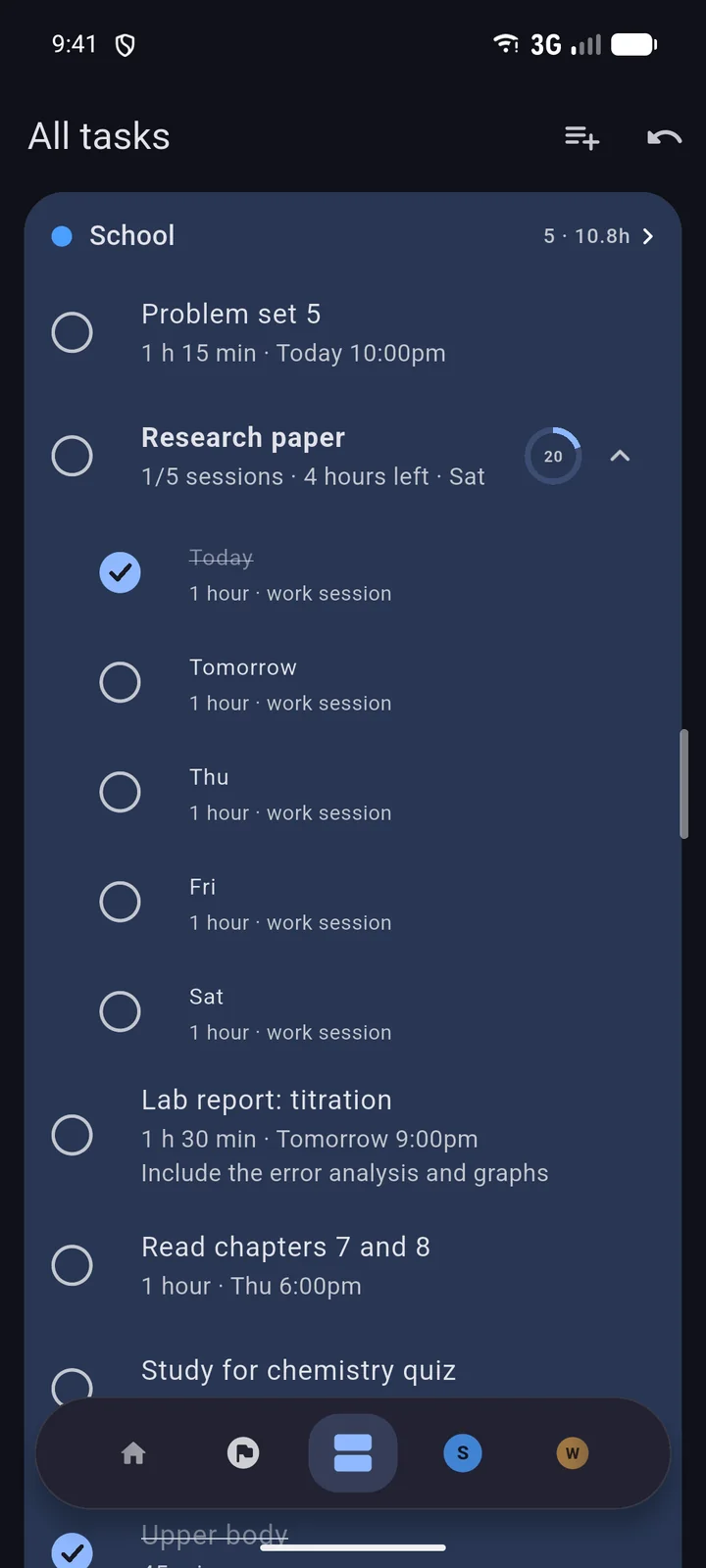
Colored lists as columns on one board. Drag tasks between them, or pop a list out into its own window.
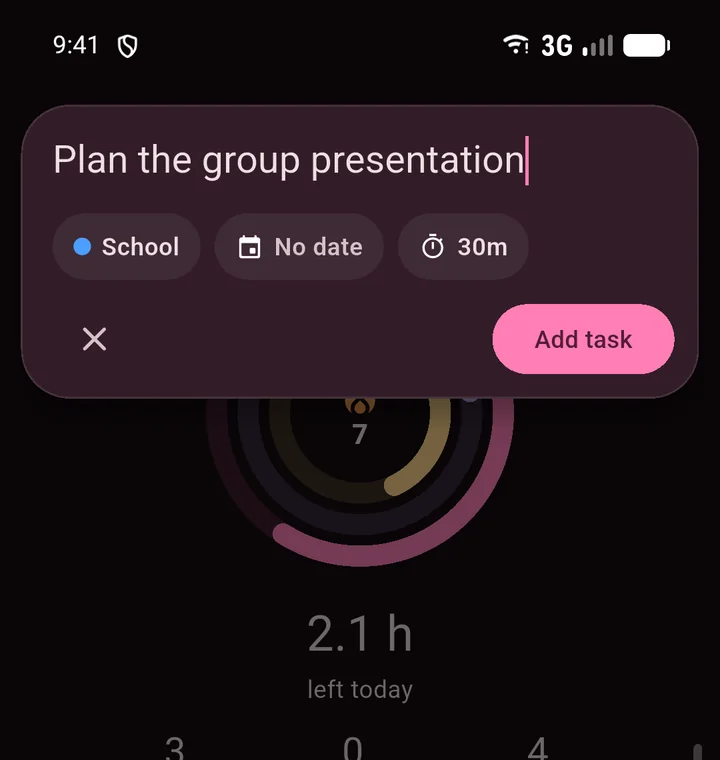
Add tasks inline with a due date, effort and list. Undo anything. Overdue? Push it a week; it counts as a strike.
A day, six hours and an hour before something is due. On Android, even when Kailos is closed.
Export a full backup or a Markdown list, and import it anywhere.
Why Kailos
Google Tasks keeps a list. Kailos knows how long every task takes, so it shows you where your time goes, plans the big things for you, and keeps your data out of anyone's ad business.
| Feature | Kailos | Google Tasks |
|---|---|---|
| Every task has a length, from minutes to hoursSo "write the essay" and "email Sam" don't count the same. | Yes | No |
| Activity ringsThe time you finished today, this week and all time. | Yes | No |
| Day streaks and strikesPushing an overdue task back a week counts against you. | Yes | No |
| Insights and a weekly WrapThis week against last, a 14-day grid, what's due next. | Yes | No |
| Projects that plan themselvesA big task split into daily sessions around your days off. | Yes | No |
| Reminders ahead of timeA day, six hours and an hour before it's due. | Yes | At the due time |
| Twelve themesYour pick follows you to every device. | Yes | Light and dark |
| A real desktop appWorks offline, lists in their own windows. | Mac (Windows soon) | Inside Gmail and Calendar |
| No ad company behind itYour tasks are never used for advertising or tied to anything else you use. | Yes | Part of Google |
| Syncs your phone and computer | Yes | Yes |
Android/iOS
The same tasks, rings and projects, on the same core as the desktop app. Pull down to add, swipe to move around.
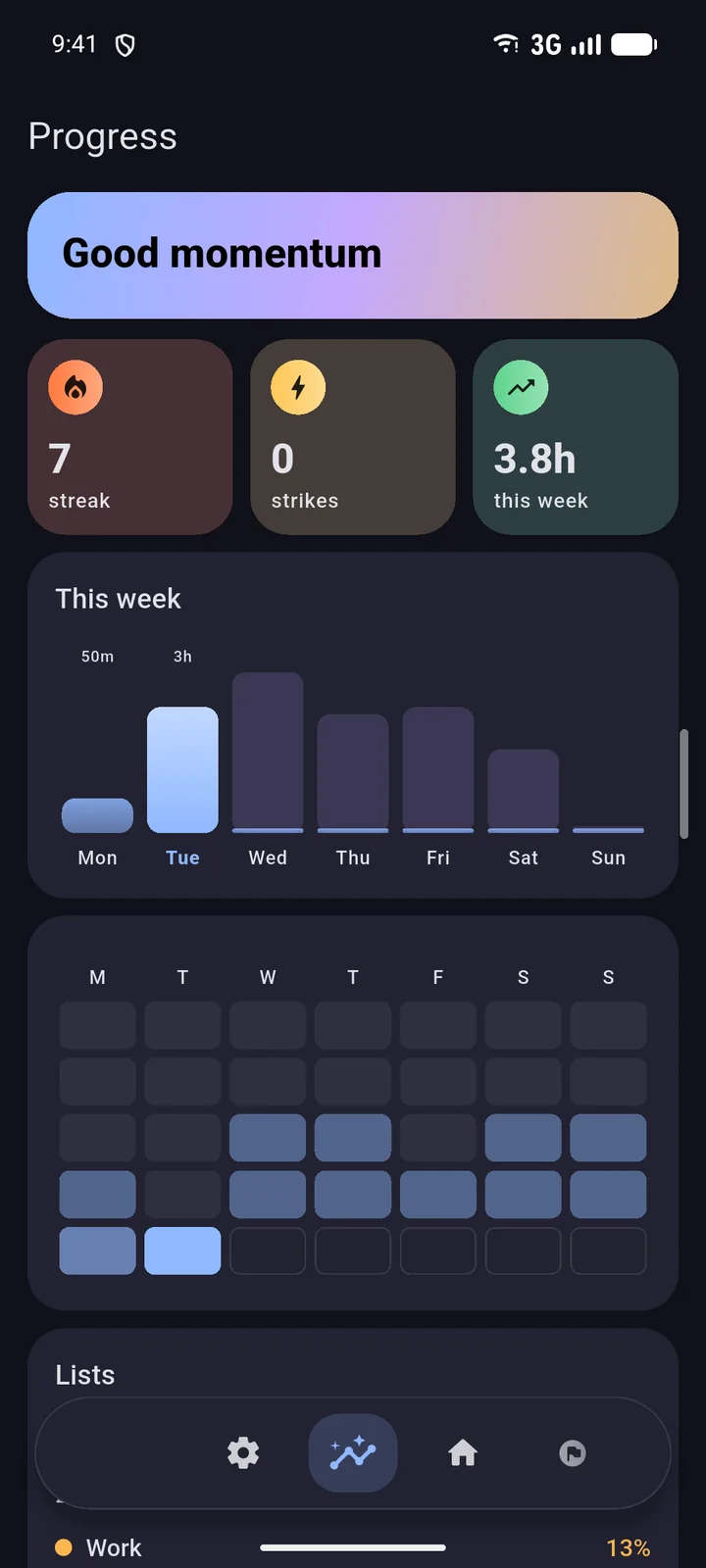
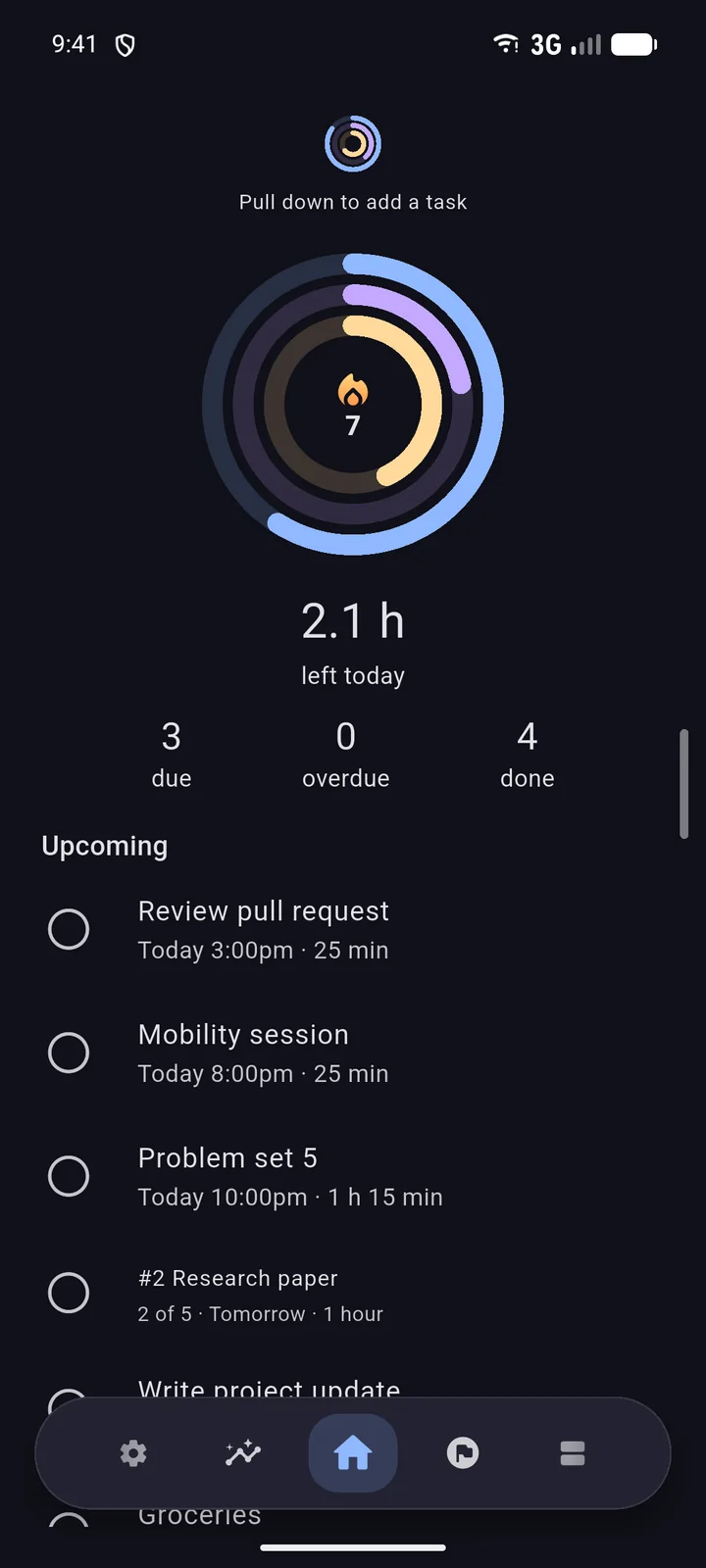
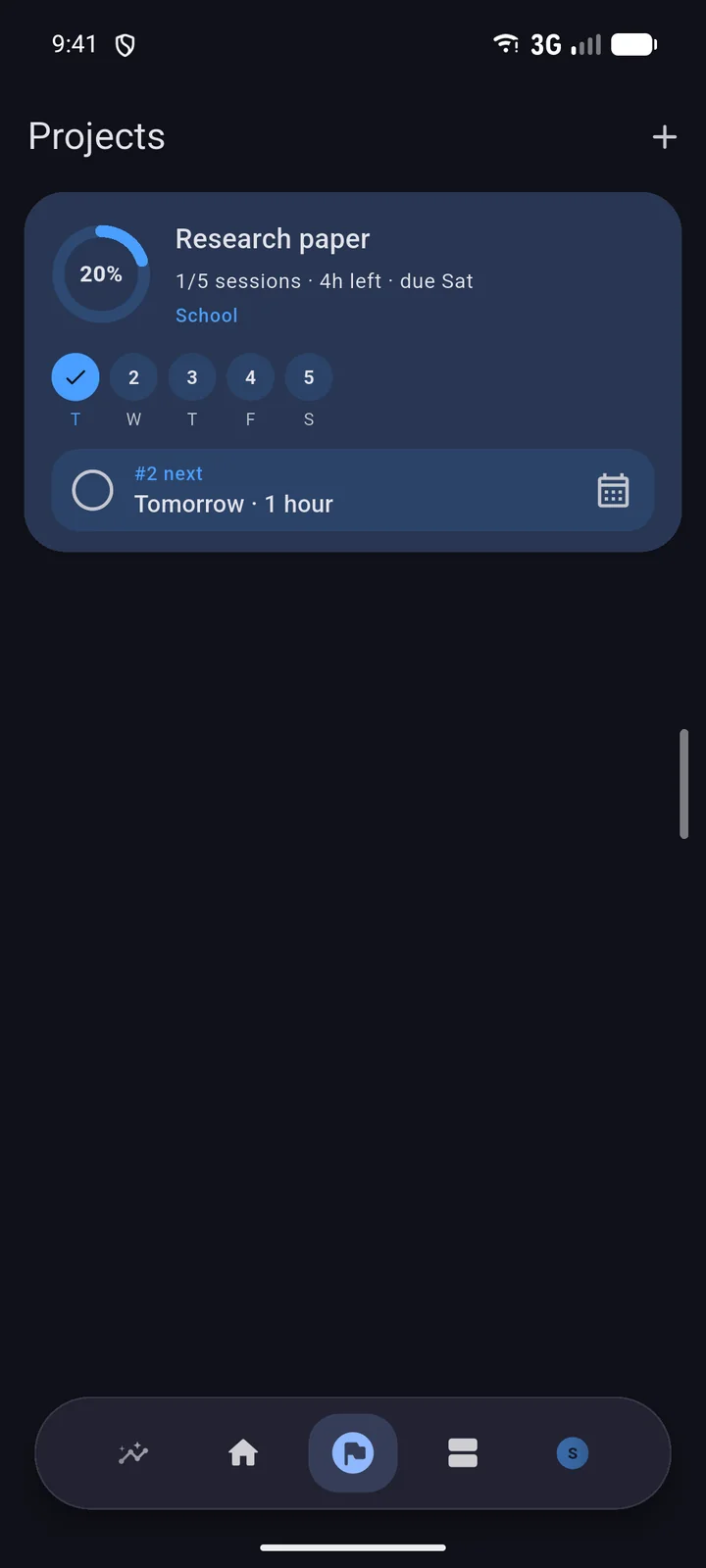
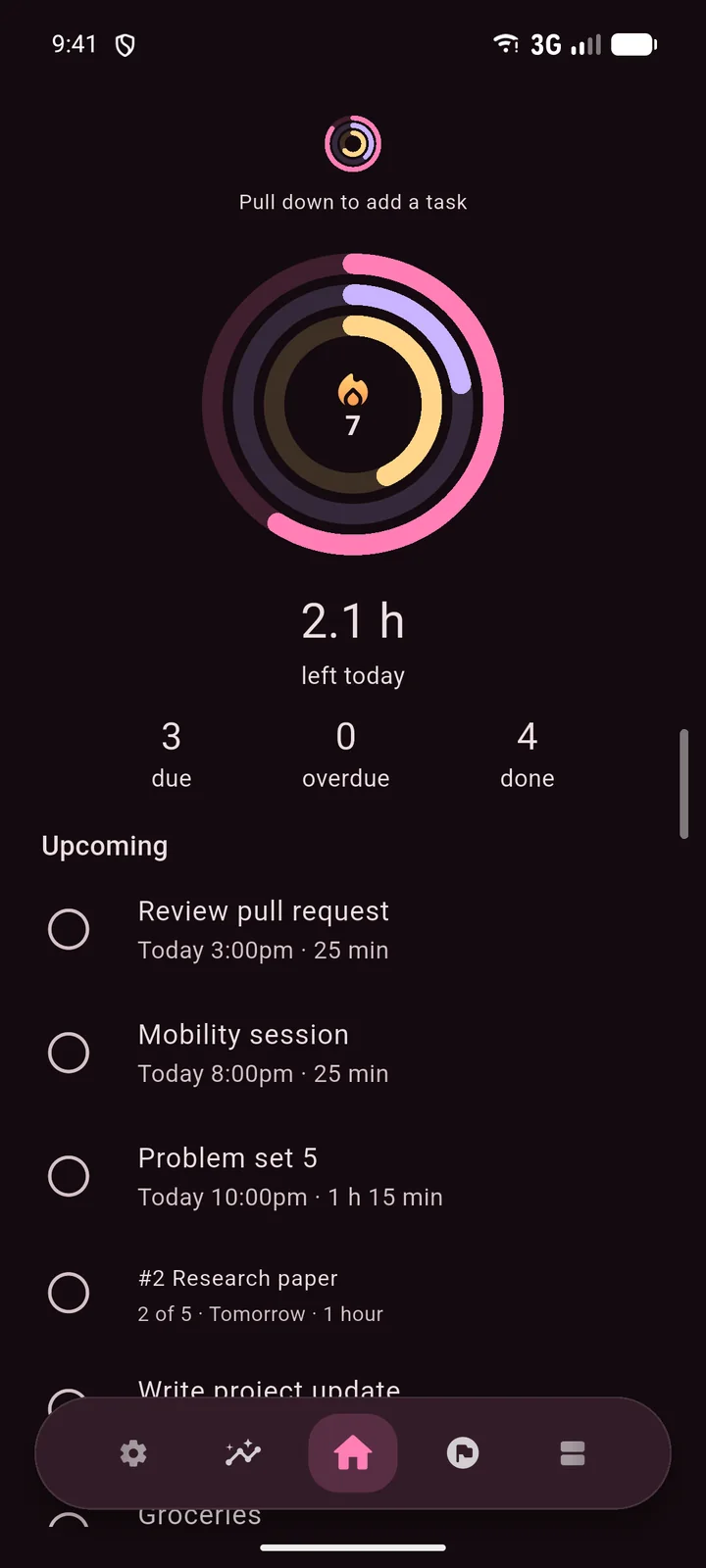
Beta testers get new builds first, and a direct line to tell us what to fix.

Projects
Turn a large task into daily sessions. Pick a due date, block days off, and Kailos spreads the work across the rest.
Account & sync
Sign in once and your Mac, PC, Android phone and iPhone stay in step, even offline.
Privacy
Your tasks live on your device. If you sign in, a copy syncs through Supabase so your devices stay in step. Kailos uses your Google email only to recognize your account, never for ads, and you can have the hosted copy deleted at any time.
What's new
The newest Desktop and Android/iOS releases. Every earlier version is in the changelog.
Loading release notes…
Sign up on the beta program page. Testers get early builds and a direct line to tell us what to fix.
Google Tasks keeps a list. Kailos gives every task a length in minutes, so it can show the time you actually finished (rings, streaks, insights, a weekly Wrap), split big projects into daily sessions and remind you before things are due. Your data is never used for advertising. See the full comparison.
Yes, a Google or Apple sign-in the first time you open it. After that it opens straight into your lists and works offline, syncing when you're back online.
Only your email, to tie your data to you (Apple may give us a private relay address instead). It never reads your mail, contacts or files.
The newest edit wins, on every device.
Nothing is lost. Your library links to your account the first time you sign in.
Kailos checks when it opens and from the menu. Your data is stored separately, so updates never touch your tasks.
It blends kairos (καιρός), the right or opportune moment, with telos (τέλος), the end something is working toward. The app is about doing the right thing at the right time, with every task aimed at a goal. It was called Tasker before.
Yes, for Android and iPhone. Both are in beta, and you can join the beta to try them.